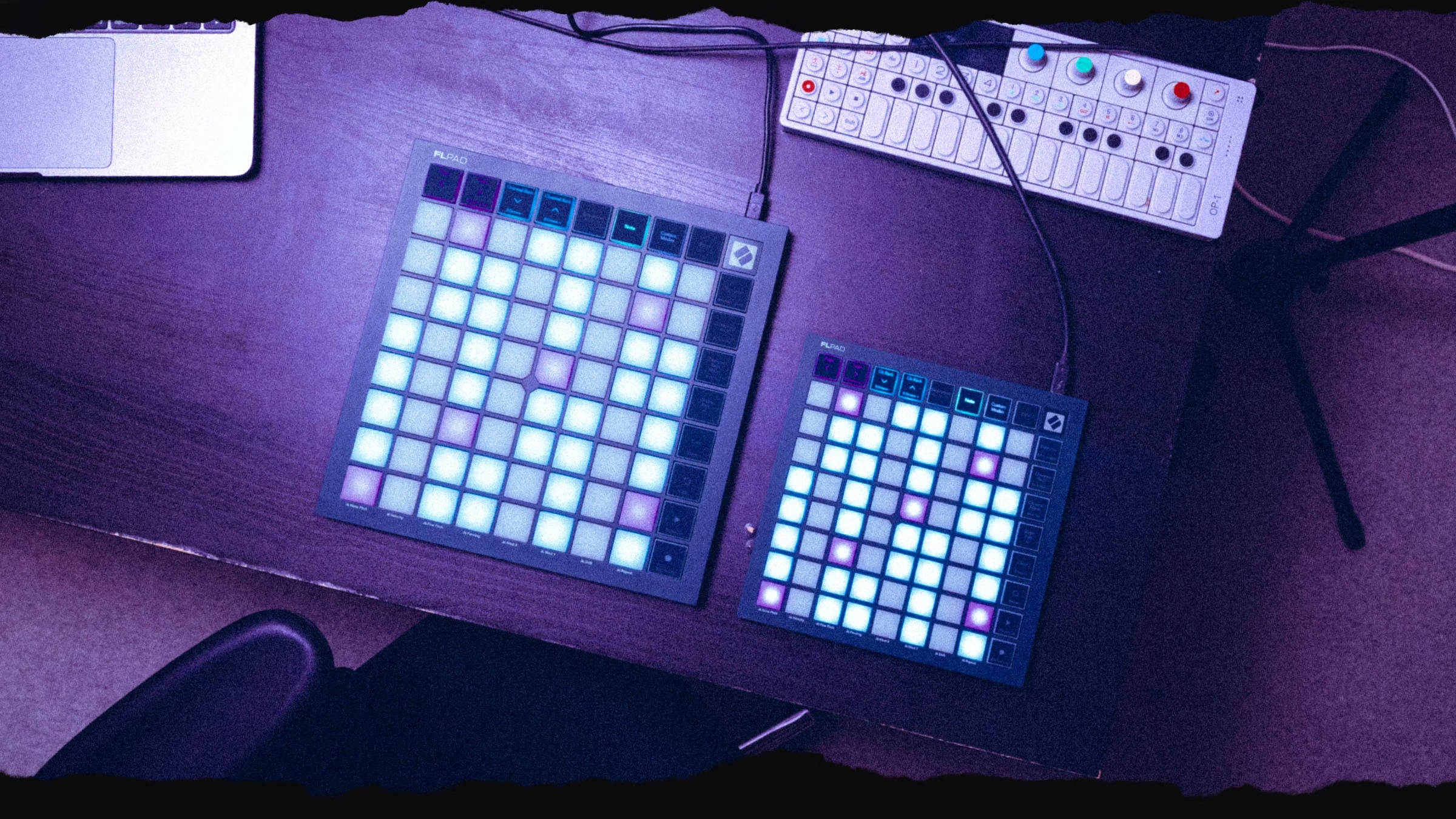
Novation’s FLpad and FLpad mini are 8×8 pad controllers designed exclusively for FL Studio. In this article, we’ll explore their key features, along with the pros and cons of each.
Novation has launched the FLpad and FLpad mini, two 8×8 pad controllers developed with Image-Line, the maker of FL Studio. Both are available now and follow the FLkey 2 keyboards, which came out of the same partnership in May. The design takes cues from Novation’s Launchpad X and Launchpad Mini, but the company says the new models are not reskins. It says both were built from the ground up around FL Studio’s workflow.
Each controller has 64 RGB-backlit pads for finger drumming, step sequencing and playing melodies, chromatically or locked to a scale. Dedicated controls cover the Channel Rack, step sequencer, Patterns, Pattern and Song modes, transport and undo/redo. You can also edit notes in the Graph Editor, use the pads as faders in Channel Rack Mixer mode, and build custom layouts in Novation Components. The full-size FLpad has velocity-sensitive pads, while the FLpad mini is smaller, more portable and cheaper. The reports confirm velocity sensitivity only for the full-size model.
What the FLpad can do:
Both models have a 64-pad grid with RGB backlighting, lined with dedicated controls on two sides. Based on Novation’s feature list, they cover:
- Drums and samples: trigger samples from the Channel Rack, or play drums live using layouts for FPC, Slicex and Fruity Slicer.
- Step sequencing: create and edit melodies, basslines and drum patterns for up to four instruments at once.
- Melodic playing: Note mode lets you play and sequence instruments chromatically or locked to a chosen scale.
- Patterns: create, select, clear and duplicate Patterns, and switch between Pattern and Song modes.
- Editing and mixing: edit notes in FL Studio’s Graph Editor from the grid, or turn the pads into a row of faders with Channel Rack Mixer mode.
- Transport: start and stop playback and recording, and undo actions, from the hardware.
- Customisation: Novation Components lets you build custom layouts for FL Studio or for other software and hardware.
Pros and Cons:
These are based on the announced features. We haven’t tested the hardware.
| Pros | Cons |
|---|---|
| Designed around FL Studio’s workflow rather than adapted from another setup | Its features are built for FL Studio, so they matter most to FL Studio users only |
| Wide DAW control:Channel Rack, step sequencer, Patterns, Graph Editor &mixer | The included Producer Edition lasts six months and isn’t a permanent licence |
| Dedicated drum layouts for FPC, Slicex and Fruity Slicer | Velocity sensitivity is confirmed only for the full-size FLpad |
| Two sizes and prices, with the mini aimed at portable setups | No hands-on reviews yet, so real-world performance is unproven |
| Custom layouts through Novation Components | – |
| A bundle that includes software, sounds and lessons | – |
Why it matters:
FL Studio has had hardware made for it before, but the FLkey keyboards were keys-focused. The FLpad covers pad-based work: finger drumming, step sequencing and live playing. It also arrives in a busy year for the DAW, after Image-Line released FL Studio 2026 in July, an update that added an AI chatbot, a redesigned Flex synth and cloud project backup.
Pricing:
Both models include six months of FL Studio Producer Edition, instruments and effects from UVI, GForce and Klevgrand, and finger-drumming lessons from Melodics. The FLpad costs $219.99 / £179.99 / €168.06, and the FLpad mini costs $139.99 / £99.99 / €92.43.

Novation Finally Launched the FLpad: A Pad Controller Made Just for FL Studio

11 Best Reverb Plugins for 2026 (Beginner to Pro Guide)
10 VST Plugins Fred Again.. Uses To Make His Records
The Best VST Plugin Deals in Summer 2026? (Updated List)