Ableton Live 13 introduces a new Step Sequencer, Drum Synth, ARA 2 Support, upgraded Racks and a lot more. Explore 10 new features coming to one of the most-loved DAWs.
Ableton has officially announced Live 13, the next major version of one of the most popular DAWs, bringing a range of new tools for music production, sound design, audio editing and mixing. The update introduces several long-requested features, including a built-in Step Sequencer, native Drum Synth, ARA 2 support and expanded Rack capabilities.
Live 13 is currently available in public beta and is scheduled for a full release in early 2027. The announcement also brings significant improvements to Push 3, making the hardware more flexible for both studio production and live performances.
For a DAW that has become a staple among electronic music producers, DJs and sound designers, Live 13 looks like a meaningful upgrade. Rather than completely changing the existing workflow, Ableton is adding tools that give producers more control over how they create, arrange and manipulate sounds.
Also, Ableton is offering a 20% discount on all Live 12 editions and upgrades until Live 13 officially launches. Anyone purchasing Live 12 during this promotional period will receive a free upgrade to the corresponding Live 13 edition when it becomes available.
Here are 10 new features in Ableton Live 13 that every music producer should know about.
1. A Built-In Step Sequencer:
One of the biggest additions to Ableton Live 13 is the long-awaited step sequencer. Despite being one of the most popular DAWs for electronic music production, Ableton has traditionally relied on its piano-roll-style MIDI editor for programming notes. Producers looking for a traditional step-sequencing workflow often had to depend on Max for Live devices or third-party plugins.
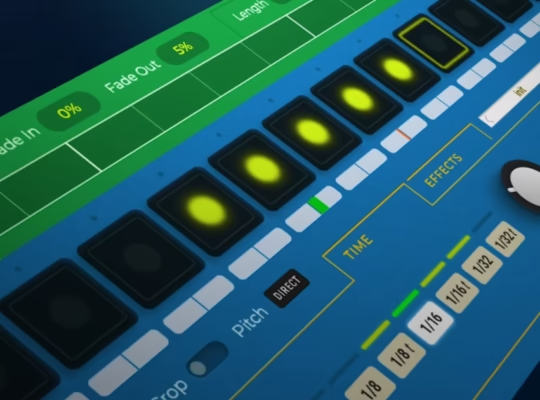
Live 13 finally addresses this with a dedicated X0X-style Step Sequencer, allowing users to create drum patterns, melodic sequences and evolving rhythms directly inside the DAW.
The new sequencer offers independent row lengths and playback settings, making it possible to experiment with polyrhythms and constantly changing patterns. Producers can also adjust individual steps using controls for velocity, chance, repeat, pitch bend and more.
2. Drum Synth With 20 Percussion Models:
Alongside the Step Sequencer, Ableton is introducing Drum Synth, a dedicated instrument designed to create percussion sounds from scratch.
The device features 20 percussive models across nine categories: Kick, Snare, Rimshot, Hi-hat, Clap, Tom, Percussion, Cymbal and FX.
Its sound engines cover classic drum machine-inspired sounds associated with the TR-808, TR-909 and CR-78, alongside physically modelled percussion and more experimental electronic sounds.
Each model comes with dedicated controls for adjusting parameters such as tuning, decay, brightness and volume. Certain models also offer additional sound-shaping options, giving producers more control over the character of individual drum sounds.
3. ARA 2 Support and Melodyne Integration:
One of the most requested additions from Ableton users has finally arrived: ARA 2 support.
ARA, short for Audio Random Access, allows compatible plugins to communicate more directly with a DAW’s audio engine. This makes audio editing considerably more streamlined, particularly when working with pitch correction, vocal tuning and timing adjustments.
With ARA 2 integration, compatible plugins such as Celemony’s Melodyne can work directly with audio clips inside Ableton Live, eliminating several steps previously required when transferring audio between the DAW and the plugin.
Ableton Live 13 Suite will also include a Melodyne Essential licence, giving Suite users access to the popular vocal editing tool.
4. Capture Automation:
Capture Automation is another important workflow improvement in Live 13.
The feature allows producers to capture parameter movements and adjustments made while experimenting with a track, even if automation recording wasn’t initially activated.
Simply tweak controls, move knobs, or adjust device parameters while working on a sound. Press Capture, and Ableton turns those gestures into editable automation.
This is particularly useful for producers who enjoy experimenting with effects, filters and modulation while searching for interesting sounds. Instead of manually recreating those movements, you can capture and refine them afterwards.
5. Contextual Browsing Makes Finding Sounds Faster:
Contextual Browsing is a feature designed to make finding and loading devices considerably faster.
Previously, producers often had to open the main browser, search for an instrument or effect and drag it into their device chain. With Live 13, compatible devices and presets can be loaded directly from the device chain or mixer.
This makes it easier to build instrument racks, experiment with different effects and swap presets without constantly switching between different sections of the interface.
It’s a relatively small change, but one that could make a noticeable difference during longer production sessions.
6. Rack Updates With Up to 32 Macros:
Racks have always been an important part of Ableton’s sound-design workflow. With Live 13, Ableton is making them considerably more flexible.
One of the biggest changes is the increase in available Macro controls from 16 to 32. Producers can now map more parameters to individual Macros and customise their response curves for greater control.
7. Looplet for Experimental Sound Design:
The all-new Looplet is a Max for Live device for producers who enjoy experimenting with samples and textures. Looplet uses four independent playheads to play and loop different sections of a single sample simultaneously.
Each playhead offers individual controls for playback direction, transposition and time-stretching. Producers can also experiment with panning, filtering and mixing to create entirely different textures from one audio recording.
Whether you’re designing atmospheric backgrounds, evolving soundscapes, glitch effects or experimental rhythmic patterns, Looplet offers an interesting way to manipulate existing samples.
8. Two New Effects: Clipper and Transient Shaper
Ableton Live 13 also introduces two new audio effects: Clipper and Transient Shaper. The Clipper is designed to control audio peaks, increase perceived loudness and introduce harmonic distortion when pushed harder. It includes Soft and Hard clipping modes, alongside a Delta control for monitoring the resulting artifacts.
The Transient Shaper gives producers more control over the attack and sustain characteristics of their sounds. It also includes sidechain functionality, allowing external signals to influence the processing.
These additions should be particularly useful for drum processing, shaping percussion and adding more impact to individual elements in a mix.
9. Envelope Clips for More Creative Automation:
Another interesting addition is Envelope Clips, which introduce new possibilities for automation and modulation, particularly when working with Return tracks. Producers can use these clips to control effect parameters, create looping modulation patterns and assign different effect settings to individual scenes in Session View.
This could be particularly useful for live performers who want to create dynamic transitions, automate delay and reverb effects or introduce evolving textures during a performance.
10. Softube Effects Integration:
Ableton is partnering with Softube to bring a collection of classic, studio-inspired processing tools to Live 13 Suite users. This is one of the most exciting additions.
The Classic Dynamics & EQ Pack includes five Max for Live effects inspired by professional studio hardware, covering FET and optical compression, British console EQ and compression, and analogue-style saturation. The collection gives producers more ways to shape their sounds, add character to individual tracks and bring a more polished feel to their mixes.
Ableton Live 13: Release Date and Availability
Ableton Live 13 is currently available in public beta, with the full release scheduled for early 2027.
The software will be available in three editions: Intro, Standard and Suite, with certain instruments, effects and advanced features exclusive to the Suite edition.
Ableton Move, Push 3 and the Push Upgrade Kit are also receiving a 20% discount alongside the Live 12 until November 30, 2026. Existing users can check their individual upgrade options and pricing through their Ableton accounts.
- Ableton Introduces Live 13: 10 New Features Every Music Producer Should Know
- Plugin Boutique Kicks Off Diwali Sale With Up to 96% Off VST Plugins
- FL Studio Halloween Sale 2026 Is Live: Save Up to 50% Before It Ends
- Slate Digital Is Giving Away 16 Free Plugins Forever
- Plugin Boutique Just Announced Membership With Free Plugins